
Every tool, in the order you use it
Capture the task once. Then shape, mask, style and export the document it wrote, all on your machine.
1. Press Start
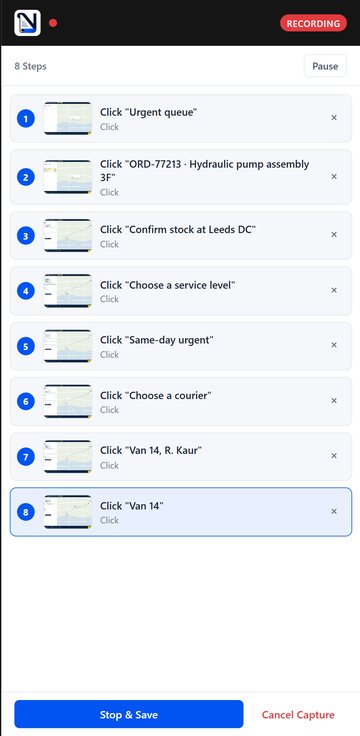
Open the Naviscroll side panel, press Start Capture, and do the task in your browser exactly as you normally would. Every click and form entry becomes a numbered step carrying a screenshot taken the instant before the click and a marker on the precise point you pressed. Press Stop and Save and the procedure is already written and stored.
2. Shape the document
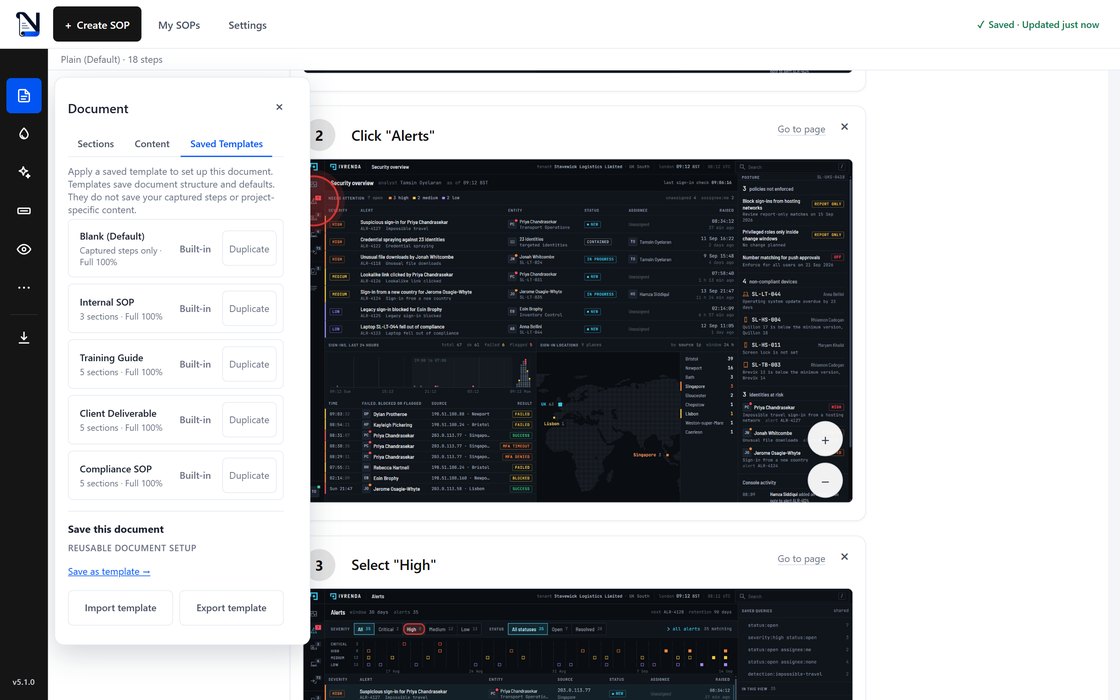
The Document tool lists the sections your procedure is built from, from the title and overview down to the steps themselves, and lets you switch each one on or off. Turning a section off hides it from the document and from every export while keeping the text you wrote, so nothing is lost by changing your mind. A Saved Templates tab applies a reusable setup as a one time copy, so editing a template later cannot rewrite a document that already used it.
3. Draft the words
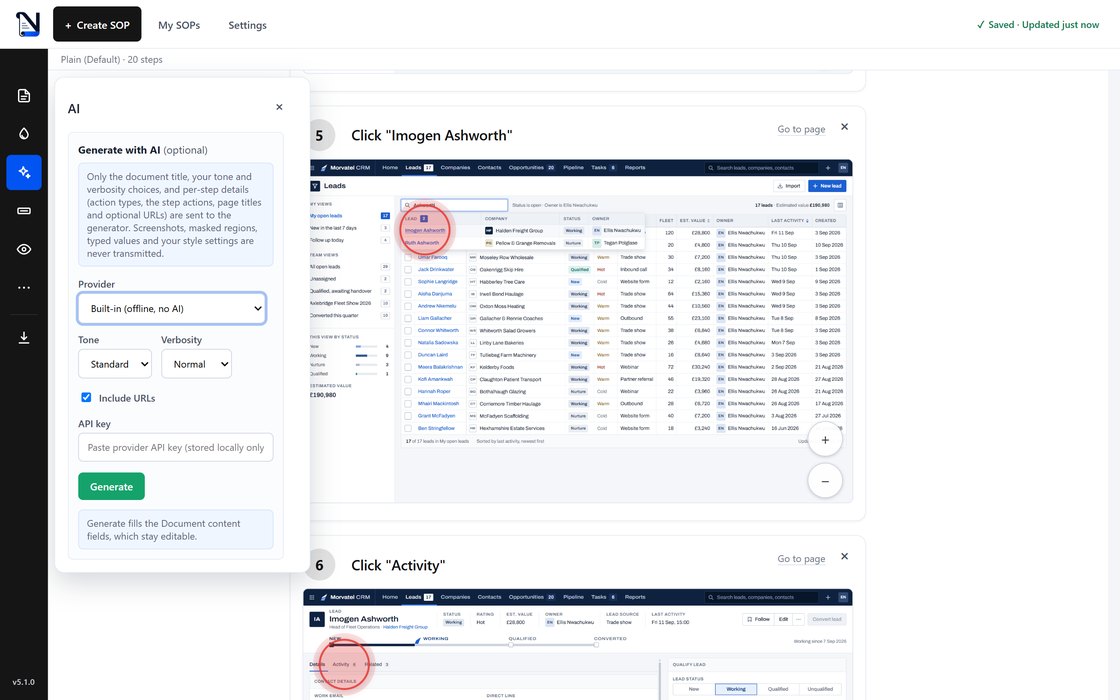
Naviscroll writes the procedure itself, on your machine, with no AI involved. If you want a first draft in a particular tone, choose a provider, supply your own API key and set the tone and verbosity. Only the document title, those choices and per step details go to the provider: the action types, the step actions, page titles and, if you leave Include URLs ticked, the page addresses. Screenshots, masked areas, anything you typed during capture and your style settings are never transmitted.
4. Cover private data
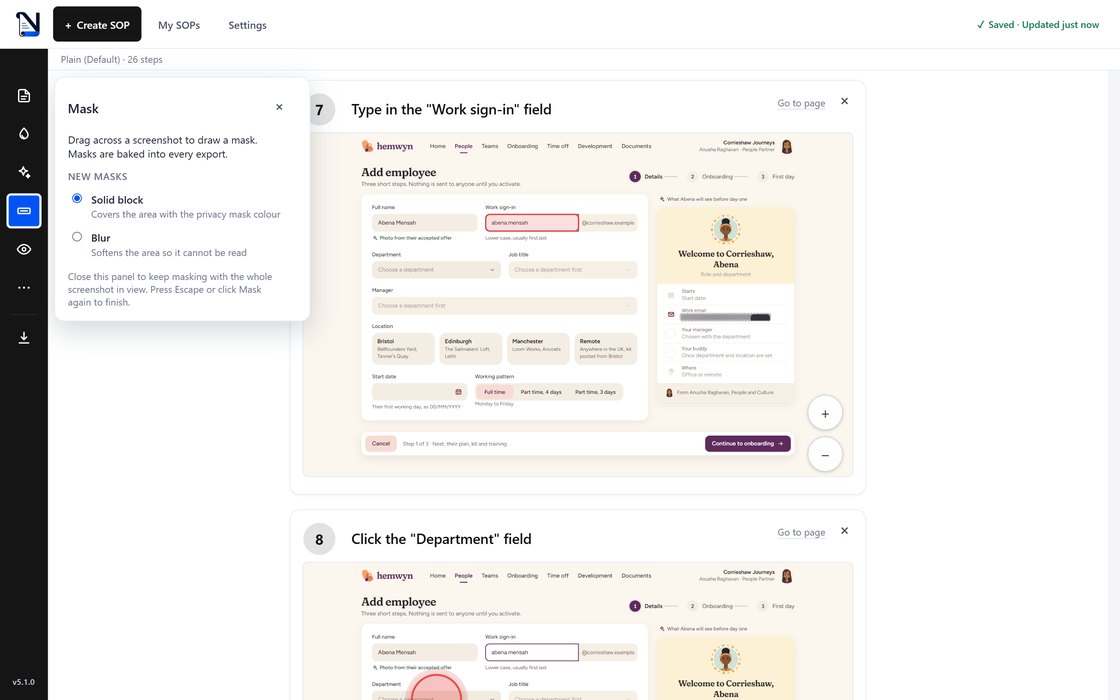
Fields that look sensitive are detected and covered as soon as the capture ends. For anything else, open Mask, pick a solid block or a blur, and drag across the screenshot. Masks are baked into the pixels of every export, so an exported file holds no recoverable version of what sat underneath.
5. Set the look
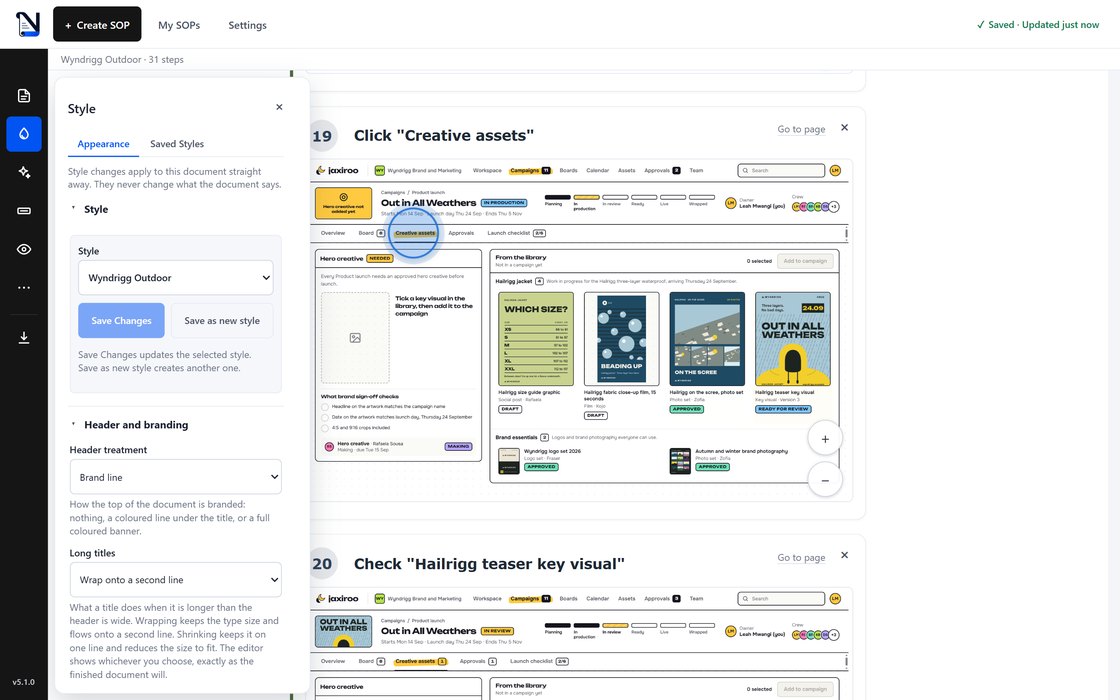
Style controls the brand, colour, typography, spacing and how screenshots sit on the page, and the document repaints as you move each control. Nothing here can change a word the document says. Save what you build as a reusable style, or stay on the built in Plain default, which cannot be overwritten.
6. Change the view
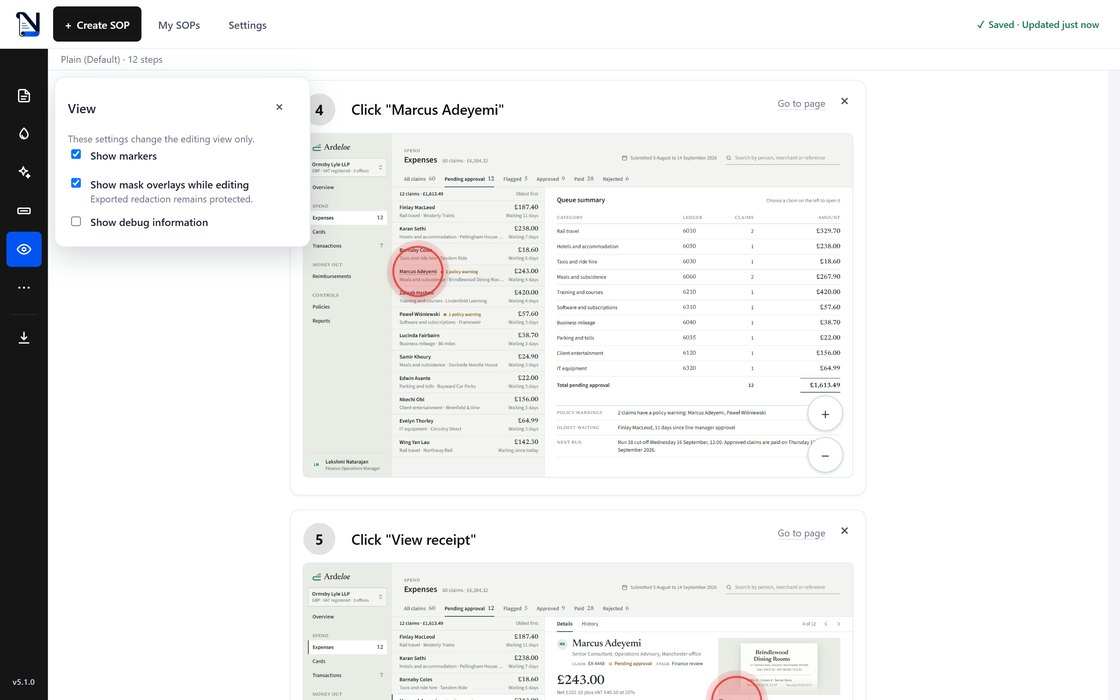
View changes what you see while editing and nothing about the finished document. Turn the click markers off to look at a screenshot on its own, hide the mask overlays, or switch on per step capture diagnostics. Exported redaction stays baked in whatever these switches are set to.
7. Tidy the capture
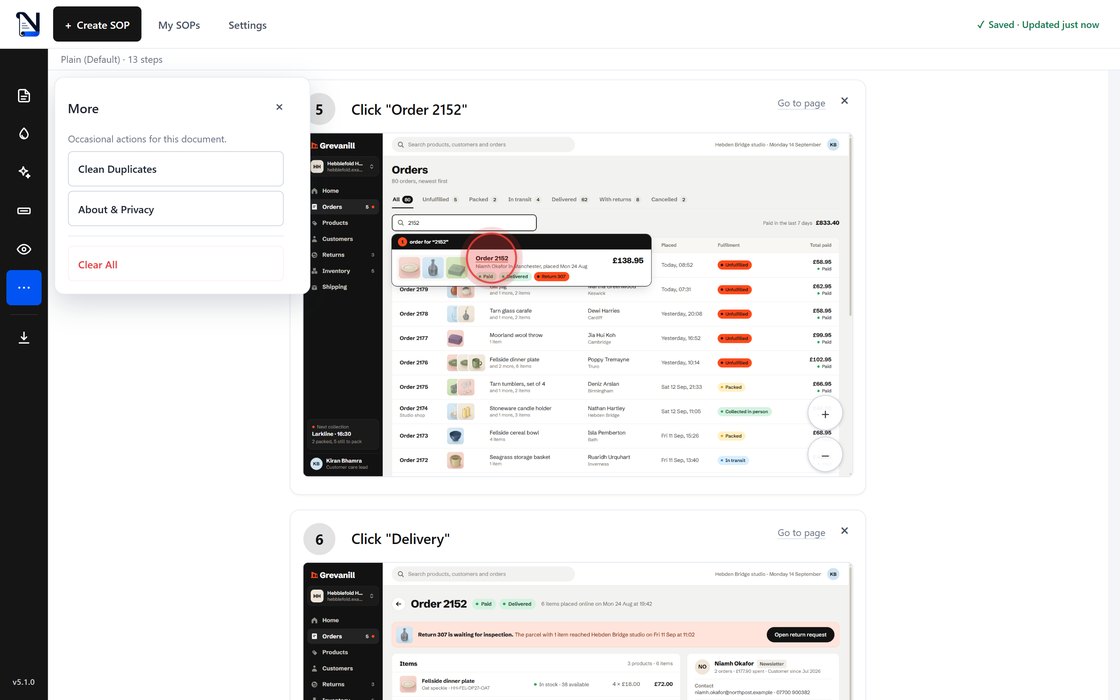
Real recordings pick up strays, such as a double click that lands as two steps. Clean Duplicates finds those extra steps and removes them in one pass, Clear All empties the capture if you would rather start again, and About and Privacy state in plain words what the extension does with your data. Do this before you spend time writing anything.
8. Hand it over
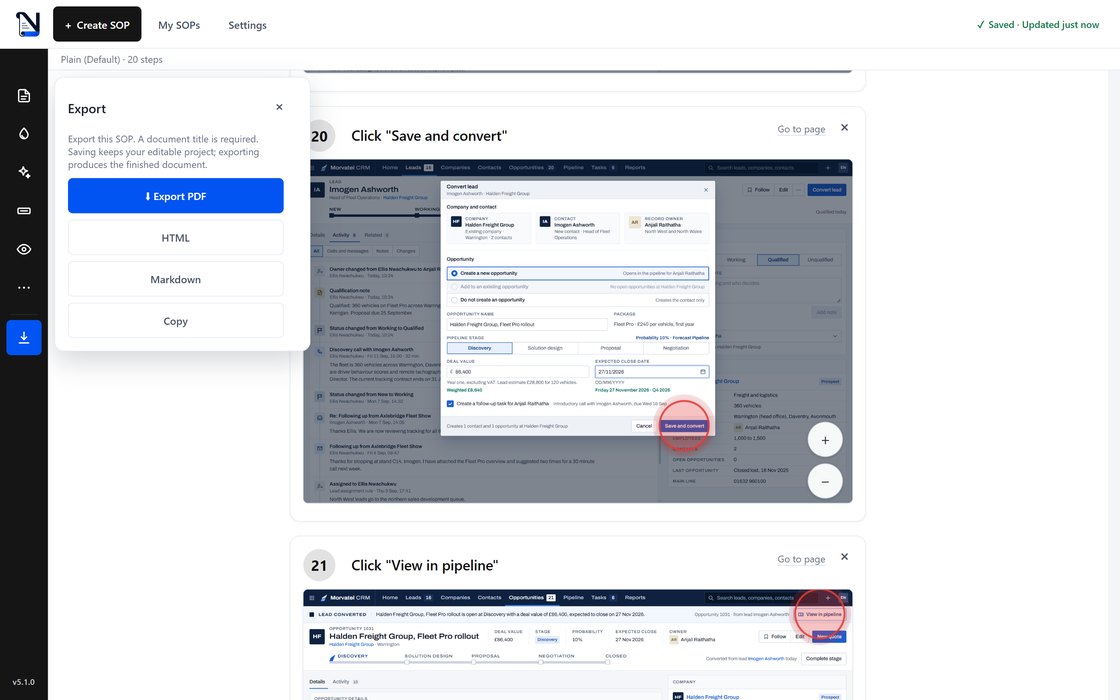
There is no preview mode, because the thing you have been editing is the document, and exporting only changes the container it arrives in. Choose a PDF, a self contained HTML page that opens offline and loads nothing from anywhere, Markdown for a wiki or a repo, or copy to the clipboard for an email. Masks are baked into all four, and each carries a small Created with Naviscroll line.
9. Keep them local
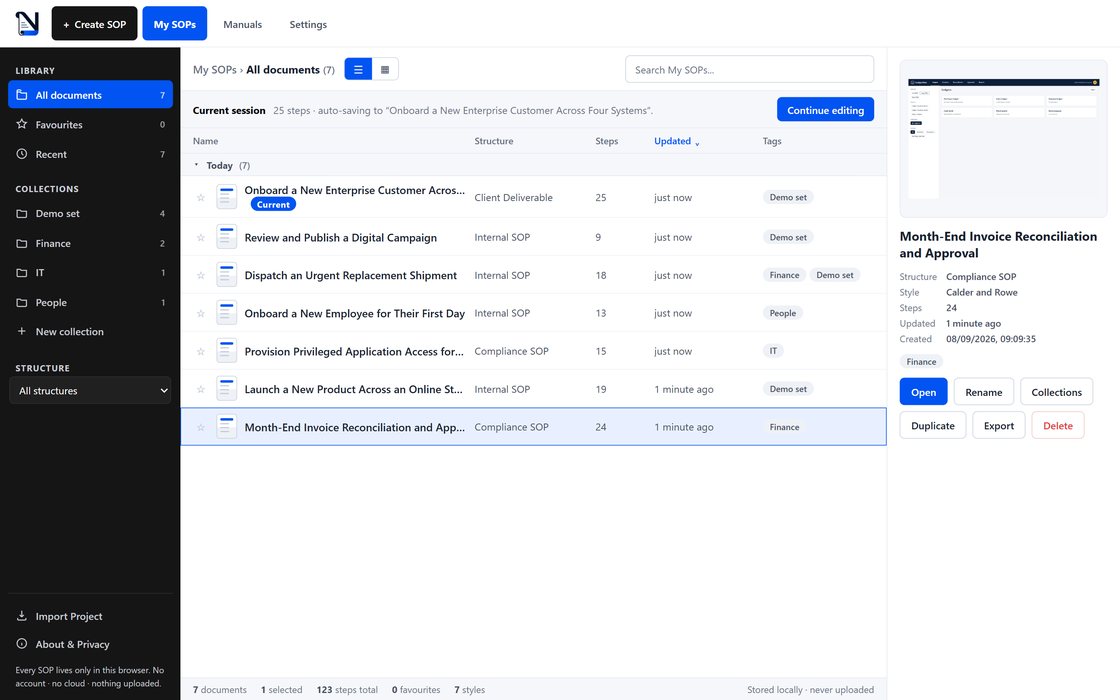
Finished procedures land in My SOPs, a library held in your browser's storage on your own machine. Search across titles, tags and step text, mark favourites, and group documents into collections. There is no account and no server holding anyone's documents, so nothing uploads and nothing syncs.
Try it on the next thing you have to explain
Available for Chrome and Microsoft Edge.